The Bound panel
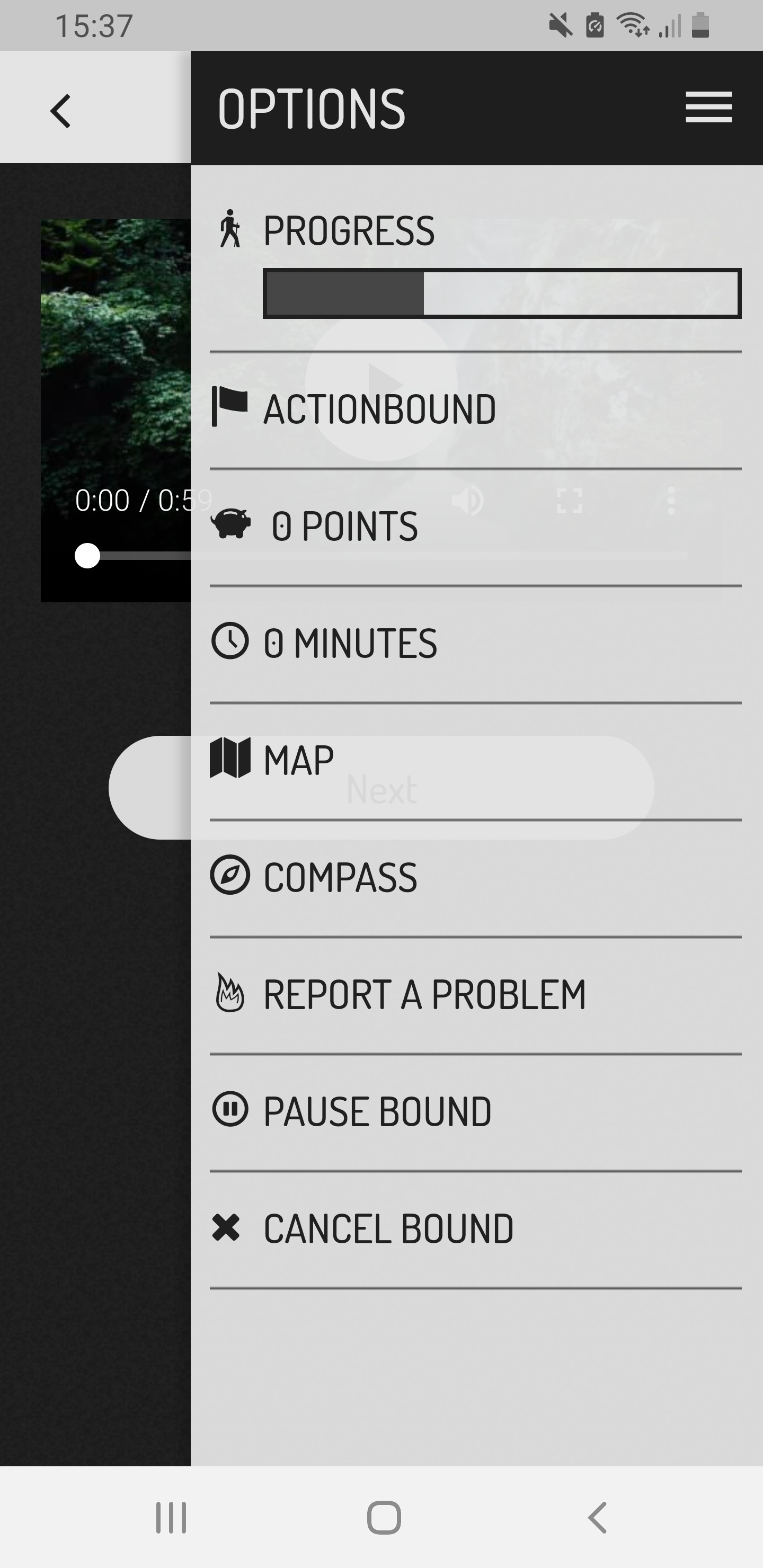
While playing a Bound in the app, you have several options available in the menu. Check your progress, access the map or compass, and report a problem. Or switch back and forth between previously played elements.
Content
How to do it
- You are completely engrossed in the Bound, the find location element doesn't work properly or you want to take a break?
- No problem. The burger menu in the upper right corner provides you with some comfort functions and further information about your passage.
Your progress in the Bound is displayed as a bar. This results from the number of played elements in the Bound.
You can see which section of the Bound you are currently in. (If sections are used in the Bound).
Look at your points collected so far and the playing time since the start.
You can keep an eye on your surroundings via the map. When GPS is activated, you can see your current position.
With the compass you can determine in which direction you are moving.
Note
The compass requires an existing internet connection or activated GPS.
Have you noticed an error in the Bound or a technical problem that reduces the fun of the game? Use Report problemto give feedback to the creator of the Bound. The reported problems appear in the Bound dashboard and are assigned to the respective element.
Want to take a breather? Then press Pause Bound to save your game progress to Preloaded Bounds. Also, if you want to change settings in the app, you can do so now.
Select Cancel Bound to end your current Bound and return to the main menu.
Note
This will irretrievably erase your game progress and the media you created.
Jump back again during the game? No problem! The Back Arrow at the top of the screen will take you to the elements you've already played and back to the current one.
Note
Quiz elements and tasks that have already been played cannot be played again.
Some items you can skip. These include Tasks, as these are unscored. You can only skip Find location - and Scan code elements if this is allowed by the creator. For Quiz elements skipping is only possible after one wrong answer (if multiple attempts are set).